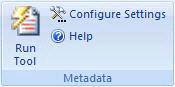
What you don't see in your documents can hurt you...
Microsoft Office documents automatically store information about you, your firm, your network
and other details each time
you open or create a document. This information is called Metadata. The following are examples of metadata information found
in a typical Word document: -
Author's name/initials -
Author's company/organization name -
Server name on which the document is stored -
File properties/summary information -
Non-visible portions of embedded OLE objects -
Previous author's names and initials -
Document version, editing time and revision information -
Template details -
Hidden text -
Comments -
Smart Tags -
Network and World Wide Web links
Metadata Tool Features:
|